Cashiers
Open External POS with the role you assign — no need for Backoffice access if they only sell.
Security & trust
Protect every login from My profile. Add passkeys (fingerprint, Face ID, Windows Hello, or a security key), enable email or Google Authenticator 2FA, and update passwords under organisation rules — minimum length, optional strong-password checks, and periodic expiry.
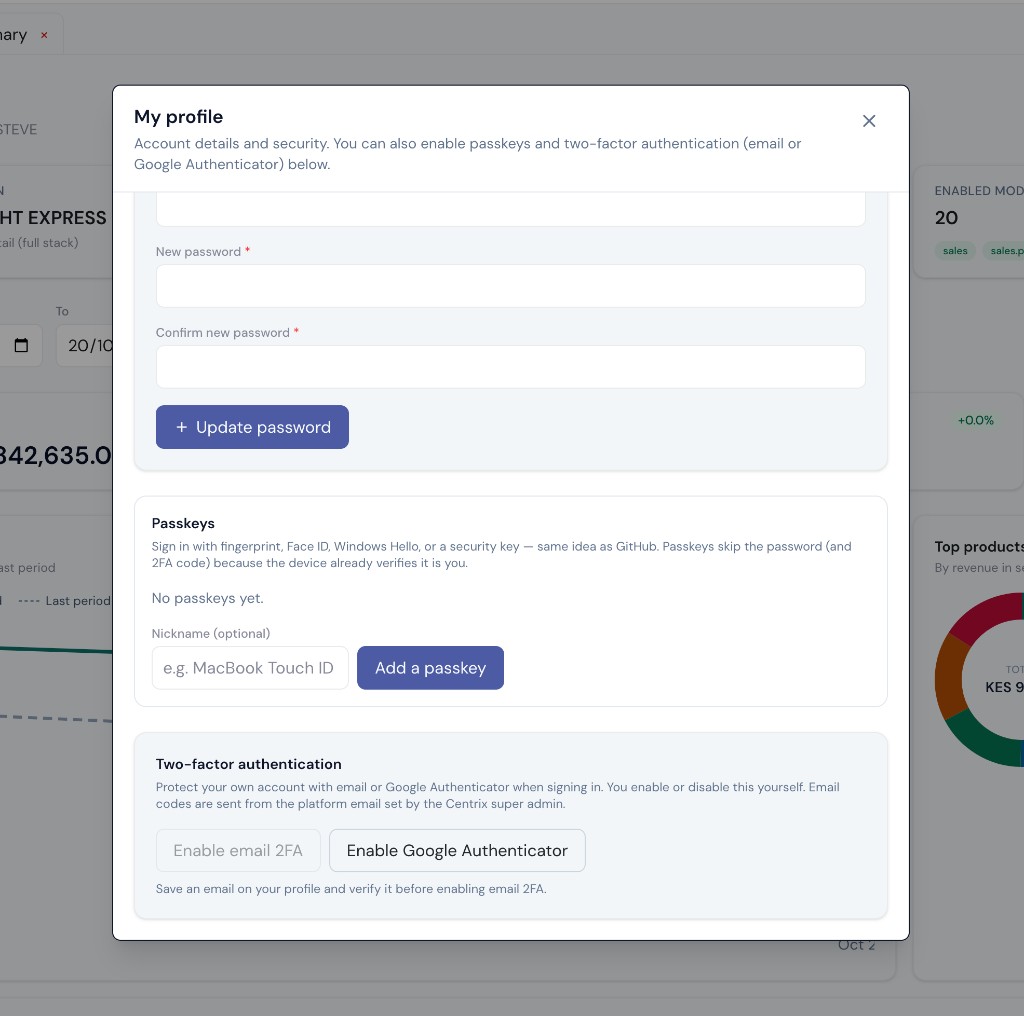
My profile · security
Passkeys, 2FA, and password settings on the same CentrixERP login.
Trust centre
Built for Kenya operators who need clear login controls, organisation rules, and fiscal printouts — without inventing certifications we have not published here.
Passkeys (biometrics or security key), email 2FA, and Google Authenticator TOTP from My profile.
Platform and org settings enforce length, optional strong-password checks, and expiry.
Idle timeouts and screen lock under Administration security settings reduce unattended till risk.
You subscribe to an industry package — your team is not managing local ERP machines or fragmented data stores.
KRA eTIMS QR on fiscal invoices and thermal receipts when configured for the organisation.
On the floor
Open External POS with the role you assign — no need for Backoffice access if they only sell.
Approvals, end of day, and branch visibility follow organisation roles — not a shared spreadsheet password.
Packages decide which apps appear after login. Passkeys and 2FA live under My profile for each user.
Open Instant trial and check My profile yourself — or contact us about roles and branches for your outlets.